

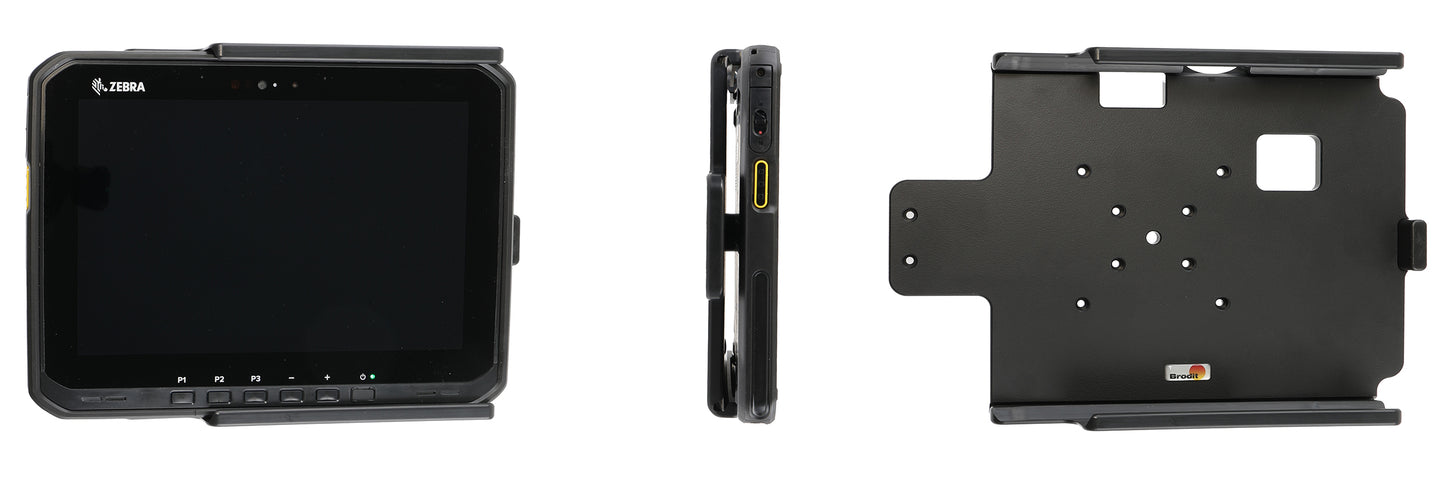
216498 - Passzív tartó
216498 - Passzív tartó
Használható szabványos és bővített akkumulátorral rendelkező készülékekkel.
Normál ár
37.500 Ft
Normál ár
Akciós ár
37.500 Ft
Egységár
/
AMPS-kompatibilis, VESA 75 furatokkal.
Ha a táblagépét az autóba rögzített tartóba helyezi, az mindig kéznél lesz az autóban. Biztonságos, rendezett és kényelmes! A készülékhez például töltőkábelet is csatlakoztathat, miközben az a tartóban van.
Ez egy modulbővítő tartó, ami azt jelenti, hogy a következő modulok valamelyikének segítségével bővítheti vagy cserélheti a funkciókat:
Cikkszám: 216500 Kulcsos zár két kulccsal. Android-verzióhoz.
Cikkszám: 216499 Rögzítőzár-modul. Android-verzióhoz.
Cikkszám: 217150 Kétkulcsos zár. Windows-verzióhoz.
Cikkszám: 217149 Rögzítőzár-modul. Windows-verzióhoz.
A táblagép jármű műszerfalára történő felszerelése mindig az ügyfél saját felelősségére történik. A Brodit azt javasolja, hogy a táblagépeket az autó fejtámláján használják, egy Brodit fejtámla-tartóra szerelve.
Ha a táblagépét az autóba rögzített tartóba helyezi, az mindig kéznél lesz az autóban. Biztonságos, rendezett és kényelmes! A készülékhez például töltőkábelet is csatlakoztathat, miközben az a tartóban van.
Ez egy modulbővítő tartó, ami azt jelenti, hogy a következő modulok valamelyikének segítségével bővítheti vagy cserélheti a funkciókat:
Cikkszám: 216500 Kulcsos zár két kulccsal. Android-verzióhoz.
Cikkszám: 216499 Rögzítőzár-modul. Android-verzióhoz.
Cikkszám: 217150 Kétkulcsos zár. Windows-verzióhoz.
Cikkszám: 217149 Rögzítőzár-modul. Windows-verzióhoz.
A táblagép jármű műszerfalára történő felszerelése mindig az ügyfél saját felelősségére történik. A Brodit azt javasolja, hogy a táblagépeket az autó fejtámláján használják, egy Brodit fejtámla-tartóra szerelve.
 Egy éves garancia

Beszerelés lépései
Kompatibilis modellek
- Zebra ET60 Android
- Zebra ET60W Windows
- Zebra ET65 Android
- Zebra ET65W Windows