


217197 - Aktív tartó fix bekötéssel
217197 - Aktív tartó fix bekötéssel
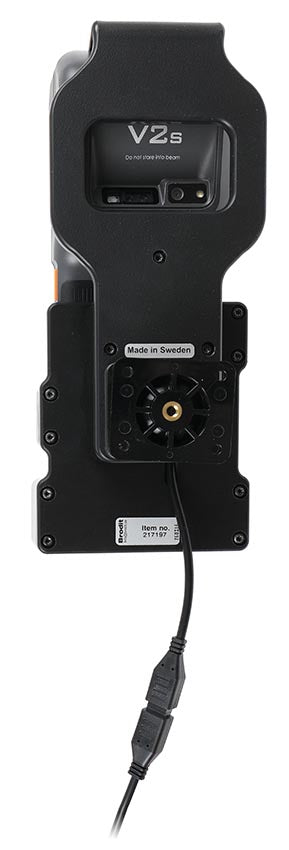
With Easy-Switching System. 2.7 A, 5.4 V charging via pogo pins. 12/24V. With tilt swivel and AMPS holes.
Normál ár
112.990 Ft
Normál ár
Akciós ár
112.990 Ft
Egységár
/
Sunmi V2s is a compact mobile payment terminal that makes it easy to accept payments, print receipts, and manage sales—wherever your business operates. Keep your device charged and ready for use all workday! This active holder provides convenient charging and a stable mounting solution, giving you easy access to your device while driving. Installed inside the dashboard, it keeps cables hidden for a neat, factory-like installation without loose wires cluttering. Use the holder as a dedicated charger, or connect an adapter to the Molex connector to power additional accessories for custom solutions. (Not intended for data communication or audio connections.)
The Easy-Switching System allows you to upgrade only the holder while keeping the existing cables installed. This saves valuable time and eliminates the need for a complete reinstallation when upgrading to a new device. The same applies to maintenance, warranty replacements, or damage-related replacements. Simply disconnect the holder from the charging cable using the Molex 2-pin quick connector, and connect the new holder. The switch is completed in just a few seconds.
The holder is equipped with a tilt swivel, allowing you to easily adjust the viewing angle or switch between portrait and landscape orientation. Tilts 17° and swivels 360°. Mounting plate: 42 × 50 mm with 4 mm AMPS standard holes. Made of high-grade black ABS/Acetal plastic. Made in Sweden.
Mount the holder on a Brodit Pedestal Mount to keep your device securely in place and within easy access. The flexible mounting options make it easy to create an ergonomic setup that helps you work more efficiently and save time, whether in a vehicle, workplace, or other professional environment.
The product is E-approved. Connect the power cable with a 3 A fuse. 2.7 A, 5.4 V charging via pogo pins. 12/24 V. Professional installation recommended.
The Easy-Switching System allows you to upgrade only the holder while keeping the existing cables installed. This saves valuable time and eliminates the need for a complete reinstallation when upgrading to a new device. The same applies to maintenance, warranty replacements, or damage-related replacements. Simply disconnect the holder from the charging cable using the Molex 2-pin quick connector, and connect the new holder. The switch is completed in just a few seconds.
The holder is equipped with a tilt swivel, allowing you to easily adjust the viewing angle or switch between portrait and landscape orientation. Tilts 17° and swivels 360°. Mounting plate: 42 × 50 mm with 4 mm AMPS standard holes. Made of high-grade black ABS/Acetal plastic. Made in Sweden.
Mount the holder on a Brodit Pedestal Mount to keep your device securely in place and within easy access. The flexible mounting options make it easy to create an ergonomic setup that helps you work more efficiently and save time, whether in a vehicle, workplace, or other professional environment.
The product is E-approved. Connect the power cable with a 3 A fuse. 2.7 A, 5.4 V charging via pogo pins. 12/24 V. Professional installation recommended.
 Egy éves garancia


Beszerelés lépései
Kompatibilis modellek
- Sunmi V2s