


217308 - Tartó csuklóval
217308 - Tartó csuklóval
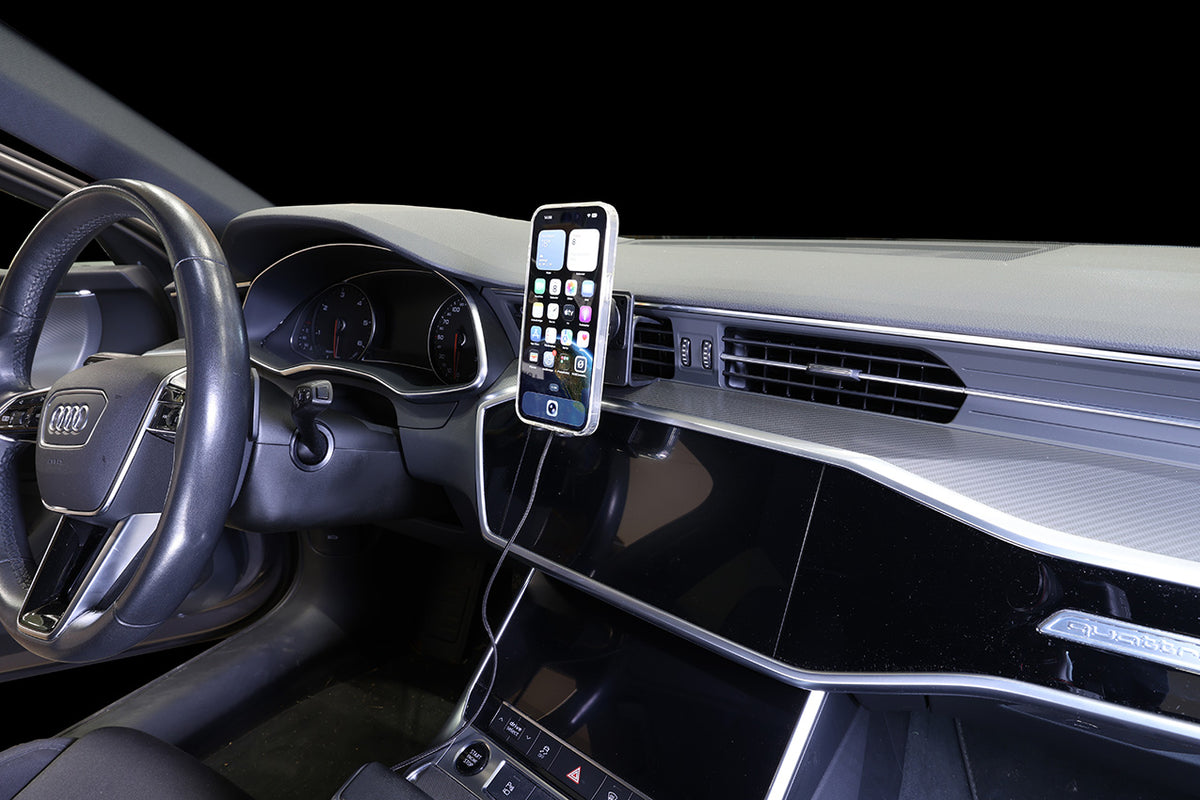
Magnetic wireless charger for smartphones, 25W charging. Cigarette lighter adapter with USB-A and USB-C port. Integrated support for stable device placement.
Normál ár
46.500 Ft
Normál ár
Akciós ár
46.500 Ft
Egységár
/
Keep your phone securely in place and charged while driving. The magnetic connection makes it easy to attach and remove your phone, while wireless charging eliminates the need to connect a charging cable to the phone. The mount is equipped with a support under the device to provide added stability, support the device securely, and help keep it in the correct position.
The Magnetic Wireless Charger delivers up to 25W of power to MagSafe, Pixelsnap, Qi2 MPP, and devices with compatible magnetic cases. The latest magnetic charging standard enables faster charging than older wireless charging technologies. Qi2 devices charge at up to 15W. Charging speed depends on the device and case. Full 25W charging requires a Qi2.2-compatible device and a compatible magnetic case. Qi1 and Qi2 devices charge at lower speeds.
Important: Compatible with MagSafe-compatible cases and cases with built-in magnets. A compatible magnetic case is required for 25W charging.
The mount is equipped with a tilt swivel so you can easily adjust the angle for better viewing. Tilts 17° and swivels 360°. Mounting plate 42x50 mm with 4 mm AMPS-holes. Made of high grade ABS/acetal. Color: black. Made in Sweden.
The Magnetic Wireless Charger delivers up to 25W of power to MagSafe, Pixelsnap, Qi2 MPP, and devices with compatible magnetic cases. The latest magnetic charging standard enables faster charging than older wireless charging technologies. Qi2 devices charge at up to 15W. Charging speed depends on the device and case. Full 25W charging requires a Qi2.2-compatible device and a compatible magnetic case. Qi1 and Qi2 devices charge at lower speeds.
Important: Compatible with MagSafe-compatible cases and cases with built-in magnets. A compatible magnetic case is required for 25W charging.
The mount is equipped with a tilt swivel so you can easily adjust the angle for better viewing. Tilts 17° and swivels 360°. Mounting plate 42x50 mm with 4 mm AMPS-holes. Made of high grade ABS/acetal. Color: black. Made in Sweden.
 Egy éves garancia


Beszerelés lépései
Kompatibilis modellek
- Apple iPhone 12
- Apple iPhone 12 Mini
- Apple iPhone 12 Pro
- Apple iPhone 12 Pro Max
- Apple iPhone 13
- Apple iPhone 13 Mini
- Apple iPhone 13 Pro
- Apple iPhone 13 Pro Max
- Apple iPhone 14
- Apple iPhone 14 Plus
- Apple iPhone 14 Pro
- Apple iPhone 14 Pro Max
- Apple iPhone 15
- Apple iPhone 15 Plus
- Apple iPhone 15 Pro
- Apple iPhone 15 Pro Max
- Apple iPhone 16
- Apple iPhone 16 Plus
- Apple iPhone 16 Pro
- Apple iPhone 16 Pro Max
- Apple iPhone 17
- Apple iPhone 17 Pro
- Apple iPhone 17 Pro Max
- Apple iPhone 18 Pro
- Apple iPhone 18 Pro Max
- Apple iPhone Air
- Apple iPhone Duo
- Samsung Galaxy S22 5G SM-S901B/SM-S901B/DS
- Samsung Galaxy S22 Ultra 5G (SM-S908B/SM-S908B/DS)
- Samsung Galaxy S22+ 5G (SM-S906B/SM-S906B/DS)
- Samsung Galaxy S23 SM-S911B/DS
- Samsung Galaxy S23 Ultra SM-S918B/DS
- Samsung Galaxy S23+ SM-S916B/DS
- Samsung Galaxy S24 SM-S921B/DS
- Samsung Galaxy S24 Ultra SM-S928B/DS
- Samsung Galaxy S24+ SM-S926B/DS
- Samsung Galaxy S25
- Samsung Galaxy S25 Edge
- Samsung Galaxy S25 FE
- Samsung Galaxy S25 Ultra
- Samsung Galaxy S25+
- Samsung Galaxy S26
- Samsung Galaxy S26 Ultra
- Samsung Galaxy S26+
- Samsung Galaxy Z Fold6
- Samsung Galaxy Z Fold7
- Google Pixel 10
- Google Pixel 10 Pro
- Google Pixel 10 Pro Fold
- Google Pixel 10 Pro XL
- Google Pixel 11
- Google Pixel 11 Pro
- Google Pixel 11 Pro Fold
- Google Pixel 11 Pro XL
- Google Pixel 9
- Google Pixel 9 Pro
- Google Pixel 9 Pro XL